BLOG

What Is an Automatic Packing System and How Does It Work?

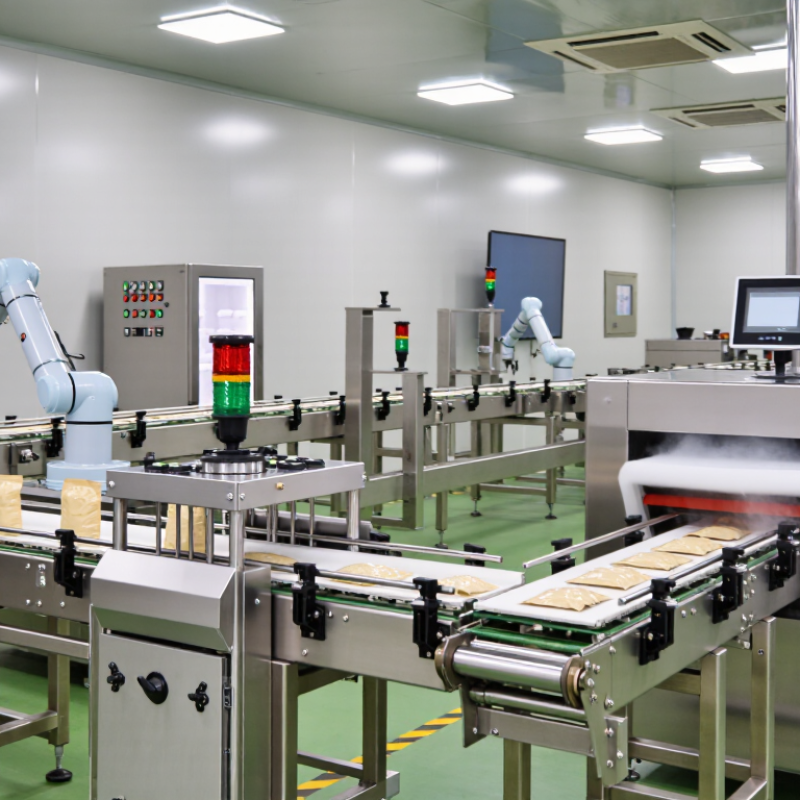
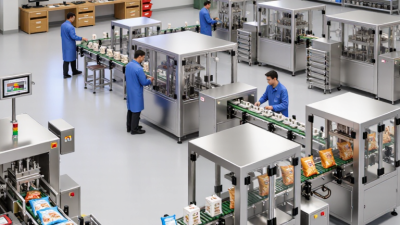
An automatic packing system is more than a machine that fills and seals products. It is a coordinated production setup that can measure, move, pack, inspect, and label goods with limited manual handling. A typical line may include conveyors, dosing equipment, sensors, a sealing unit, a checkweigher, and a programmable logic controller.

Jorge Izquierdo, Vice President of Market Development at PMMI, captures the practical principle clearly: “Automation should support people, not simply remove them.” That idea matters on a real factory floor. A sensor detects an approaching pouch. The controller confirms its position. The filler releases a measured amount, while the sealer applies controlled heat and pressure. If the checkweigher finds an unacceptable weight, the system removes the pack before shipment.

The technology can improve speed, consistency, traceability, and worker safety. It can also reduce repetitive lifting and product contact. However, automation is not automatically the best answer. A small producer with frequent product changes may lose time during complicated changeovers. Poor calibration can create waste faster than manual work. No system is perfect.

A reliable automatic packing system begins with product trials, line testing, operator training, and measurable performance targets. Engineers should review seal strength, filling accuracy, downtime, cleaning access, and maintenance records. These details reveal how the system actually works beyond a sales brochure. The following discussion explains the main components, operating stages, benefits, limitations, and selection factors that shape a dependable packing line.

What Is an Automatic Packing System and How Does It Work?

Definition and Purpose of an Automatic Packing System

What Is an Automatic Packing System and How Does It Work?

An automatic packing system is equipment designed to measure, fill, close, label, and move products with limited manual handling. Its main purpose is consistency. It helps businesses maintain stable output, reduce repetitive labor, and protect products during storage and transport. Depending on the product, the system may use conveyors, sensors, weighing units, filling heads, sealing tools, and control software. Each part has a defined task.

The process usually begins when products enter the line at a controlled speed. Sensors detect their position and trigger the next operation. A dosing unit measures the product, while a forming or filling station prepares the package. The sealing unit then closes it and checks basic conditions, such as weight or seal presence. In practical use, clean sensors and accurate calibration matter greatly. A small measurement error can affect hundreds of packages. No system is perfect. Product shape, humidity, and uneven feeding can still interrupt production.

Tips: Match the system to your product, package material, and target speed. Test real samples before purchase. Keep a record of calibration and maintenance. Operators should understand alarms, safe shutdowns, and routine cleaning. Do not rely only on advertised capacity; actual performance may change during long production runs.

Main Components and Their Functions

What Is an Automatic Packing System and How Does It Work?

Main Components and Their Functions

An automatic packing system moves products through filling, sealing, labeling, and inspection with limited manual handling. Its structure resembles a coordinated production line. Each component has a specific task, but reliable performance depends on accurate timing between them.

The conveyor carries products at a controlled speed and keeps spacing consistent. Sensors detect product position, size, and movement. A photoelectric sensor can stop filling when a container reaches the correct point. The control unit processes these signals and adjusts each operation. It acts like the system’s decision center. Timing matters.

The filling unit measures and releases the required quantity. Its design changes for powders, liquids, grains, or solid items. The sealing station closes bags, pouches, or containers using pressure, heat, or both. A temperature controller helps maintain stable sealing conditions. The labeling unit applies identification information to the correct package. Inspection devices check weight, seal quality, and visible defects before products leave the line.

During line checks, small errors often reveal larger weaknesses. Dust can affect sensors. A rushed calibration can create uneven fills. No system is perfect. Operators should clean contact points, inspect moving parts, and review production data regularly. Practical experience shows that simple maintenance prevents many avoidable stoppages. Yet, maintenance schedules still need adjustment when materials, package sizes, or operating speeds change.

How Products Move Through the Packing Process

An automatic packing system moves products through a coordinated sequence of machines, sensors, and conveyors. The process usually starts with product feeding. Items arrive from production equipment and enter the packing line at a controlled speed. Sensors detect their position, size, and spacing. This information helps the system prevent collisions and missed packs.

The machine then prepares the packaging material. It may form a pouch, open a carton, or position a tray. A measured product quantity moves into the package through a guided chute or robotic arm. Then comes sealing. Heat, pressure, or adhesive closes the package, depending on the material. A date code or batch number can be applied during this stage. Small delays matter. If one package shifts, the next station may stop automatically.

After sealing, inspection sensors check the package shape, seal quality, and printed information. Accepted products continue along the conveyor. Rejected items move to a separate area for review, rather than returning directly to production. In practical operation, dust, uneven products, or worn sealing parts can affect accuracy. Operators must adjust guides, clean sensors, and verify sample weights regularly. The system reduces repetitive labor, but it still needs informed supervision. A fully automatic line is not always perfectly smooth. Sometimes, a simple manual check catches a problem earlier than software does.

Sensors, Controls, and Software in System Operation

An automatic packing system coordinates product movement, container forming, filling, sealing, and discharge. Its sensors provide the system with constant operating information. Photoelectric sensors detect cartons entering the packing area. Position sensors confirm whether each carton sits correctly. Load cells can check product weight before sealing begins. Small errors matter. A tilted carton may stop the entire line.

Controls convert sensor signals into immediate actions. When a carton reaches the correct position, the controller can pause the conveyor and start the filling cycle. If a guard opens or a sensor detects a blockage, the system should stop safely. Operators adjust speed, timing, temperature, and product quantities through a control interface. These settings must match the material and package design. One setting rarely suits every product.

Software connects these decisions and records operating data. It can store production recipes, monitor faults, and show repeated stoppages. This helps technicians investigate problems instead of guessing. In practical installations, a dirty sensor can create failures that look like software faults. Not always. Regular cleaning and careful calibration remain necessary. During commissioning, teams should test empty cartons, full cartons, and irregular loads. They should also review alarm messages with operators. A system may run correctly during testing, yet behave differently after several hours of dust, vibration, and changing materials. That weakness deserves attention. Reliable operation depends on clear controls, accurate sensors, useful software, and people who question unexpected results.

What Is an Automatic Packing System and How Does It Work? - Sensors, Controls, and Software in System Operation

System Area Typical Component Main Function Common Data or Signal Typical Operating Range How It Supports Packing
Product Detection Photoelectric sensor Detects the presence, position, or leading edge of a product. Digital on/off signal Detection distances commonly range from a few centimeters to several meters. Triggers filling, counting, indexing, or sealing sequences at the correct time.
Product Verification Vision inspection camera Checks product orientation, label position, presence, and visible defects. Image result, pass/fail status, inspection measurements Inspection speed depends on image resolution, lighting, and product spacing. Prevents incorrectly positioned or incomplete products from entering the final package.
Weight Control Checkweigher with load cell Measures the weight of a filled package while it moves through the line. Weight value, tolerance status, reject command Accuracy varies by package size, speed, vibration, and product characteristics. Identifies underfilled or overfilled packages before shipment.
Level and Position Sensing Capacitive, inductive, or ultrasonic sensor Monitors material level, container position, or component availability. Level status, distance value, presence signal The usable range depends on the material, sensor type, and installation distance. Helps maintain a continuous supply of packaging materials or product.
Motion Control Servo motor and drive Controls the speed, position, acceleration, and timing of moving mechanisms. Position feedback, speed command, torque status Motion settings are configured according to package size, film length, and cycle time. Synchronizes conveyors, dosing equipment, cutters, sealers, and indexing devices.
Machine Control Programmable logic controller Executes the programmed sequence and coordinates sensors, actuators, and safety devices. Input states, output commands, timers, counters, alarms Scan times are typically measured in milliseconds and depend on the control program. Provides deterministic control of the complete packing cycle.
Operator Interface Human-machine interface Displays machine status and allows authorized users to adjust recipes and settings. Production rate, alarms, counts, temperatures, settings Screen layout and available functions depend on the machine configuration. Reduces setup errors and gives operators immediate feedback.
Temperature Control Thermocouple or resistance temperature detector Measures and regulates sealing-jaw or heating-element temperature. Temperature reading, heating output, deviation alarm The setpoint depends on film structure, sealing method, and production speed. Supports consistent seals and reduces leaks caused by overheating or insufficient heat.
Pneumatic Actuation Pneumatic cylinder and solenoid valve Moves clamps, gates, pushers, grippers, and reject mechanisms. Valve command, cylinder position, air-pressure status Many industrial pneumatic systems operate around 5–7 bar of compressed air. Provides fast linear movement for repetitive packing operations.
Software and Data Control software, recipe manager, and production database Stores product settings, records production data, and manages operating permissions. Batch number, recipe values, output count, downtime, alarm history Data retention and reporting frequency depend on system storage and network configuration. Enables repeatable changeovers, traceability, performance analysis, and preventive maintenance.
Safety System Guard switches, emergency stops, and safety controller Stops hazardous motion when a guard is opened or an emergency condition occurs. Safety input status, stop request, reset status Response time is designed according to the machine risk assessment and applicable safety standards. Protects personnel and prevents operation under unsafe conditions.
Typical operating sequence: Product detection initiates the cycle, the controller verifies position and operating conditions, motion devices transport the product, filling or wrapping equipment completes the package, inspection sensors confirm quality, and software records the production result.

Common Applications and Benefits of Automated Packing

What Is an Automatic Packing System and How Does It Work?

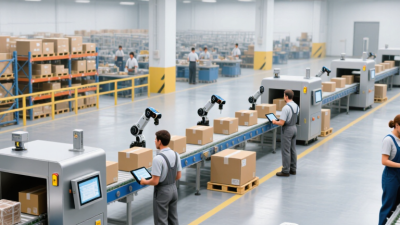
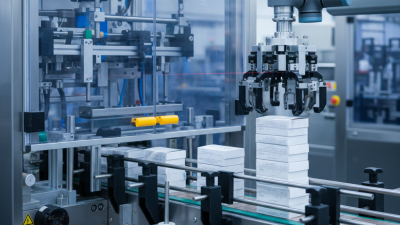
An automatic packing system moves products through filling, sealing, labeling, and case packing with limited manual handling. Sensors check product position, weight, and package integrity. Programmable controllers then adjust timing, speed, and rejection settings. A typical line may include conveyors, robotic pickers, sealers, and vision inspection. It is measurable.

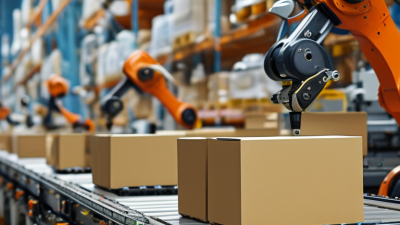
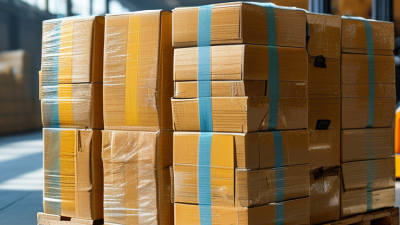
Common applications include food, beverages, cosmetics, pharmaceuticals, and household products. Powder fillers handle dry ingredients, while liquid systems manage sauces, detergents, and oils. Robotic case packers place products into cartons with consistent spacing. Palletizing equipment then builds stable loads for storage or transport. In real production, clean changeovers matter as much as maximum speed.

The International Federation of Robotics reported 541,302 industrial robots installed worldwide in 2023. This figure reflects growing investment in repetitive production tasks, including packaging operations. The Packaging Machinery Manufacturers Institute has also identified labor shortages and productivity pressure as major automation drivers. Benefits can include fewer handling errors, steadier output, improved worker safety, and better production records. However, automation is not magic. Poorly maintained sensors can stop an entire line, and unsuitable packaging may create jams. A 2023 food-packaging trial might show impressive speed, yet still reveal excessive film waste during changeovers. That weakness deserves attention. The strongest systems combine preventive maintenance, operator training, and realistic performance targets.

Go to Top